
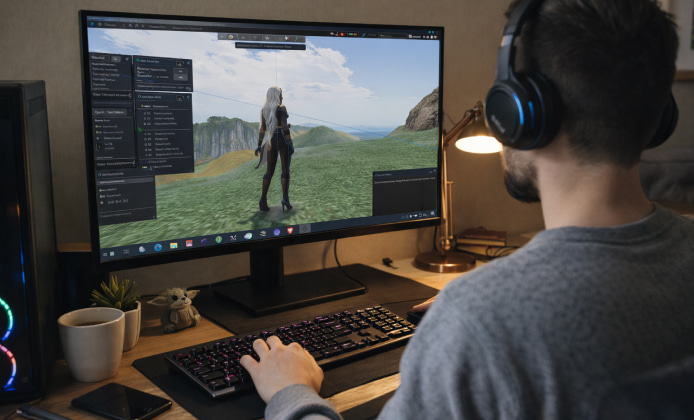
Black Dragon Viewer is popular because it combines strong customization with performance-focused rendering options, making version choice more important than many people expect. The “best” build depends on your hardware, the regions you visit, and whether you value stability over new features. This guide explains how to compare builds, how to stay safe while updating, and how to keep a reliable fallback if an update doesn’t fit your workflow.
How the Viewer’s Release Flow Usually Works
Most third-party viewers move through a cycle of frequent incremental releases plus occasional larger jumps that rework core components like rendering or UI behavior. In practice, this means each update can feel small until one build introduces a new graphics pipeline behavior or changes defaults that affect your frame rate. On the official release page, Black Dragon Viewer latest version free to download often appears alongside changelogs and mirrors for convenience. Even if you don’t follow every release note, it helps to understand what updates typically include:
- Rendering fixes that reduce visual artifacts (shimmering edges, broken materials, odd shadows).
- Performance improvements for complex scenes (crowded events, high-poly avatars, heavy particles).
- UI and usability tweaks (panels, shortcuts, camera controls, layout refinements).
- Security and compatibility updates (protocol changes, library updates, crash fixes).
Identify What You’re Running Before You Change Anything
Before you troubleshoot, confirming the Black Dragon version in your About panel helps you match advice to your build. That single step prevents a lot of confusion because two people can describe the “same” setting while running different defaults, different rendering toggles, or different bug fixes.
Use this quick checklist to capture your baseline:
- Note your build number and release date shown in the viewer’s About window.
- Record your graphics preset and any custom rendering toggles you changed.
- Save a copy of your settings folder or export preferences if the viewer supports it.
- Write down your GPU model, driver version, and screen resolution.
A good rule: treat every update like a small experiment—measure before and after, then keep what works.
What You Gain by Staying Current
If performance matters, the latest version of Black Dragon Viewer usually includes renderer fixes that reduce stutter on crowded regions. Newer builds also tend to improve compatibility with modern GPUs and drivers, which can translate into smoother camera movement, faster texture decode, and fewer unexpected crashes during long sessions. Updates can also improve your day-to-day comfort in subtle ways:
- Better handling of materials and lighting in visually complex environments.
- Improved avatar rendering controls that make it easier to balance quality and FPS.
- Refinements to camera tools, hover text, and UI layouts for creators and photographers.
When an Older Build Can Still Be the Smart Choice
For many residents, Black Dragon Viewer old version can still be the most predictable choice when you need a familiar interface. That predictability matters when you’re in the middle of an event schedule, doing client work, building, or photographing scenes where any new glitch could cost time. Older builds are also useful in a few practical scenarios:
- Your hardware is older and a newer build adds overhead you can feel.
- A specific UI layout or workflow you rely on changed in a newer release.
- You are diagnosing a bug and want to confirm whether it is version-specific.
Creators, HUDs, and Why Backups Matter
Some creators keep a backup because a Black Dragon app old version may behave better with legacy HUDs and scripted tools. This is especially relevant if you use older products that were made with assumptions about attachment behavior, UI scaling, or specific rendering quirks that have since been fixed or changed. To avoid downtime, keep a simple rollback plan:
- Store a known-good installer in a dedicated folder with the build number in the filename.
- Back up your settings before updating, especially custom camera presets and UI layouts.
- Test updates in a low-stakes session first, not right before a performance or shoot.
Comparing Builds at a Glance
| Goal | Best Fit | What to Watch |
|---|---|---|
| Maximum stability for daily use | A proven build you’ve already stress-tested | Compatibility with new server/protocol changes |
| Best performance in crowded regions | A newer build with renderer and caching fixes | New defaults that may change your visuals |
| Photography and visuals | A build with the newest camera and lighting tools you prefer | Shader changes that alter tone or shadow behavior |
| Legacy content workflows | A stable older build kept as a fallback | Security fixes and long-term compatibility risks |
Safe Updating and Safe Rollbacks
Updating is usually straightforward, but treating it casually can lead to problems—especially if you overwrite settings or install from untrusted sources. When you must roll back, you can download Black Dragon Viewer old version from trusted archives after scanning files and verifying hashes.
Use these habits to reduce risk:
- Prefer official links and well-known mirrors, and avoid “repacked” installers.
- Keep separate folders for installs and for backups, labeled by build number.
- After updating, test login, inventory loading, and a graphics-heavy region.
- If something feels off, revert quickly and report the details with your build info.
A Simple Decision Strategy
Pick one “daily driver” build you trust, then keep one additional build as your controlled fallback. If you upgrade, do it intentionally: back up settings, note what you changed, and test in a calm environment. With that approach, versions stop feeling risky and start feeling like useful tools you can choose based on the job you’re doing.

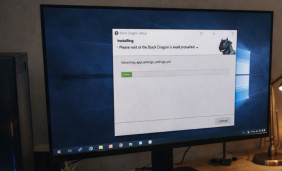 Black Dragon Viewer Install Guide: Best Visuals and Smooth Performance
 Black Dragon App: Quick Actions, Full Control & Zero Hassle
 Black Dragon Viewer Version Guide: Choose the Fastest & Most Reliable Build
 Black Dragon Desktop Guide: Quick Install, Better Multitasking & Zero Lag Tips
 Black Dragon App Experience
 5 Best Apps Similar to Black Dragon
